

Features
Convert to purchase price formula
Charge your own rent-to-own price when a customer keeps an item, instead of only resale price minus what they’ve paid. Set Convert to purchase price to Formula under Customer accounts, and that price is what you suggest in the admin and what the customer pays from their account. See Convert to purchase.Credit half the rent already paid, price from what the item cost you, or use a buyout you’ve stored on the item. The formula reads the resale price, the retail price, what’s been paid, and the cycle’s and item’s fields.A cycle that has already been converted keeps the charge it was converted with.FeaturesImprovements
Subscription contracts table
See which charges are about to fail, and fix an expired card or a deleted product before the next attempt. Open Subscription contracts from Subscription contracts. Subscriptions, memberships, and vaulted cards sit in one table, with MRR above it.Expected revenue, failed payment rate, and new contracts cover Today, Last 7 days, or Last 30 days, so you can see the next period without opening each cycle. Selecting a row opens the cycle, the membership, or the customer it bills for.Improvements
Improvements
- Billing actions on one contract. On a cycle’s Subscription card and a membership’s Billing card, the ••• menu now includes Edit billing, Update next charge date, Add discount, Remove discount, Change payment method, and Send link to update card, so you can change the price, the date, or the card without leaving the page. A discount takes a percentage or a fixed amount off the recurring price for the next payment, a set number of payments, or all of them, and the customer sees the reason. See Subscription actions.
Features
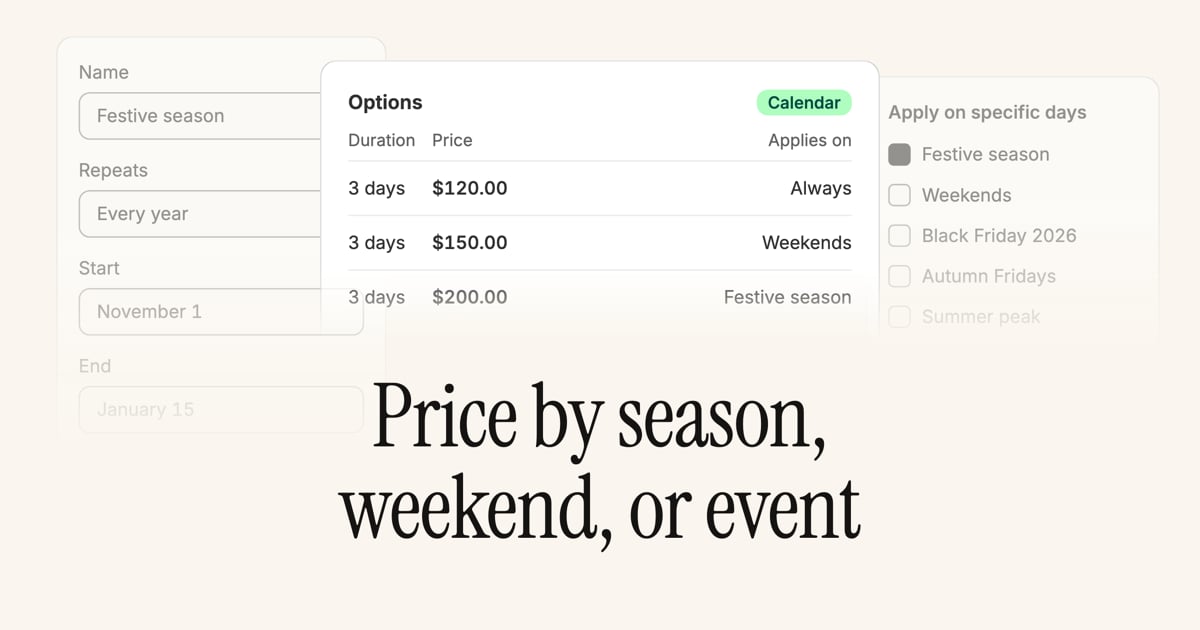
Price by season, weekend, or event
FeaturesImprovements
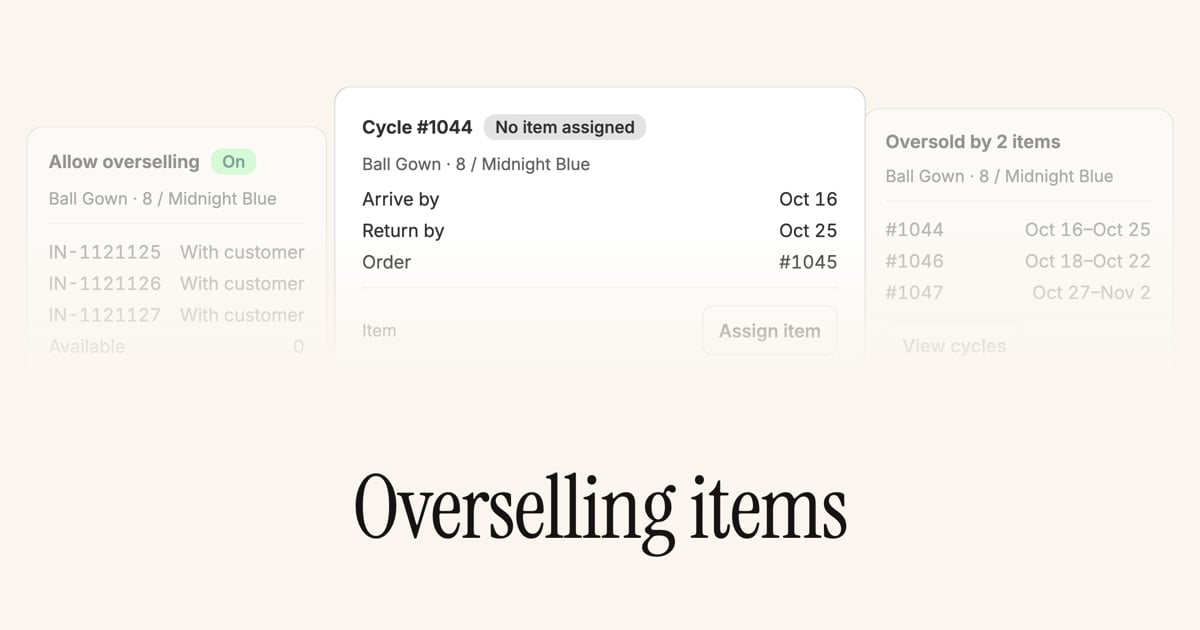
Overselling items
Improvements
Improvements
- Item conditions on the storefront. Tick Show on storefront on a condition under Custom data, then turn on Display item condition options on the Methods app block to let customers pick the condition they want. Method options scoped to other conditions are hidden, on calendar, subscription, and membership as well as resale, and the flag is off by default on every condition. See Item conditions.
- Date custom fields as relative time. Tick Display as relative time on a date or date-and-time custom field and a stored date of January 1, 2025 reads as 1 year 8 months. Only the display changes: the value is still a date, the date picker still edits it, and the API still returns the date.
- One row per unit on POS. Adding the same rental variant twice in Shopify POS now gives one row per unit on the Cycles screen, labeled Unit 1 of 2 and Unit 2 of 2, so each unit gets its own dates, method option, and custom fields. Availability reads against the units, and applying to one unit splits the line so that unit reaches checkout as its own cycle while the rest stay in the cart. See Rent several units of one variant.
- Requirement page styling. App-proxy pages for contracts, signing, and ID verification now inherit your theme’s typography and button class from the Supercycle Engine Methods style settings. See theme setup.
- Shared requirements copy. Requirements strings in language settings apply to the checkout block, the customer accounts page, and the app-proxy pages together, and the buyer’s language is respected on all of them.
- Change item picker columns. The Change item modal now shows each candidate’s condition, active cycle, upcoming bookings, and previous cycle count alongside availability, so you can pick a replacement without opening each item.
- Membership analytics history. When a customer switches membership plan, Analytics membership count reports include each enrollment separately, and circular revenue reports keep charges from previous plans.
- Richer admin timelines. Cycle, customer, item, and charge pages share the same timeline and comments UI, and cycle timelines now log charges, payments, contracts, ID verification, availability conflicts, and customer emails.
- Pickup dates from opening hours. The pickup delivery method no longer has a per-day cutoff schedule in settings. Available pickup dates come from each location’s opening hours.
- Operators MCP timeline events. Ask your AI assistant what happened on a cycle, return, customer, item, or charge. The read-only
list_timeline_eventstool returns the same timeline the admin shows, andget_cycle,get_return,get_customer, andget_chargetakeinclude_timelinefor the 25 most recent events. See the Operators MCP tools reference. - Operators MCP item visibility. Ask your AI assistant to mark an item as sold, set it back to Active, or list the items that are Expected. The
update_itemandlist_itemstools now advertise every visibility value, accept the admin labels Active and Draft, and reject an unknown filter instead of returning every item. See the Operators MCP tools reference. - Operators MCP cycle schedule fields. Cycle tools now use the leg schedule names
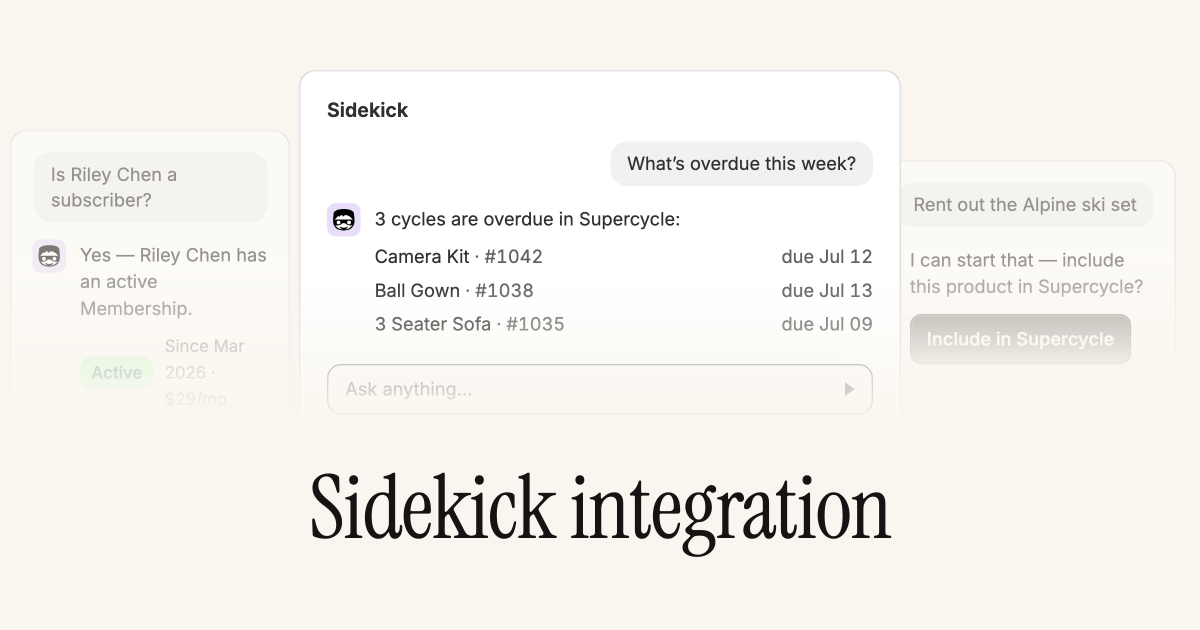
arrive_by,return_by,fulfill_by, andreceive_byinstead ofrental_start,rental_end,fulfill_at, andreceive_at. See the Operators MCP tools reference. - Ask AI opens Sidekick with a starter prompt. From Analytics dashboards, Open Sidekick in the Ask AI modal launches Sidekick with a prefilled query about your Supercycle stats. See Analytics dashboards.
- Membership paused email. Customers now receive a confirmation email when their membership is paused from the admin or from customer accounts, and pausing or canceling from customer accounts sends the same confirmation emails as admin-initiated changes. Turn it on under Emails.
- Select all across pages. Ticking the header checkbox on the cycles, inventory, blocked dates, method options, consignors, payouts, and waitlist tables now offers Select all N records, so a bulk action applies to everything matching your search and filters rather than only the rows on the page. A selection that spans pages runs in the background, so refresh the table after a moment, and the row-based actions View orders, Print packing slips, and Send email turn off while everything is selected.
Features
Charge types and tax
Every charge now carries a tax setting. Set Tax on a one-off charge, or add a reusable charge type such as Late fee or Damage claim under Risk that carries the setting for you.A charge takes a copy of its charge type’s tax setting when the type is assigned, and that copy is fixed from then on. Editing a charge type later doesn’t change charges already raised against it, and deleting one leaves its charges in place without the type.Features
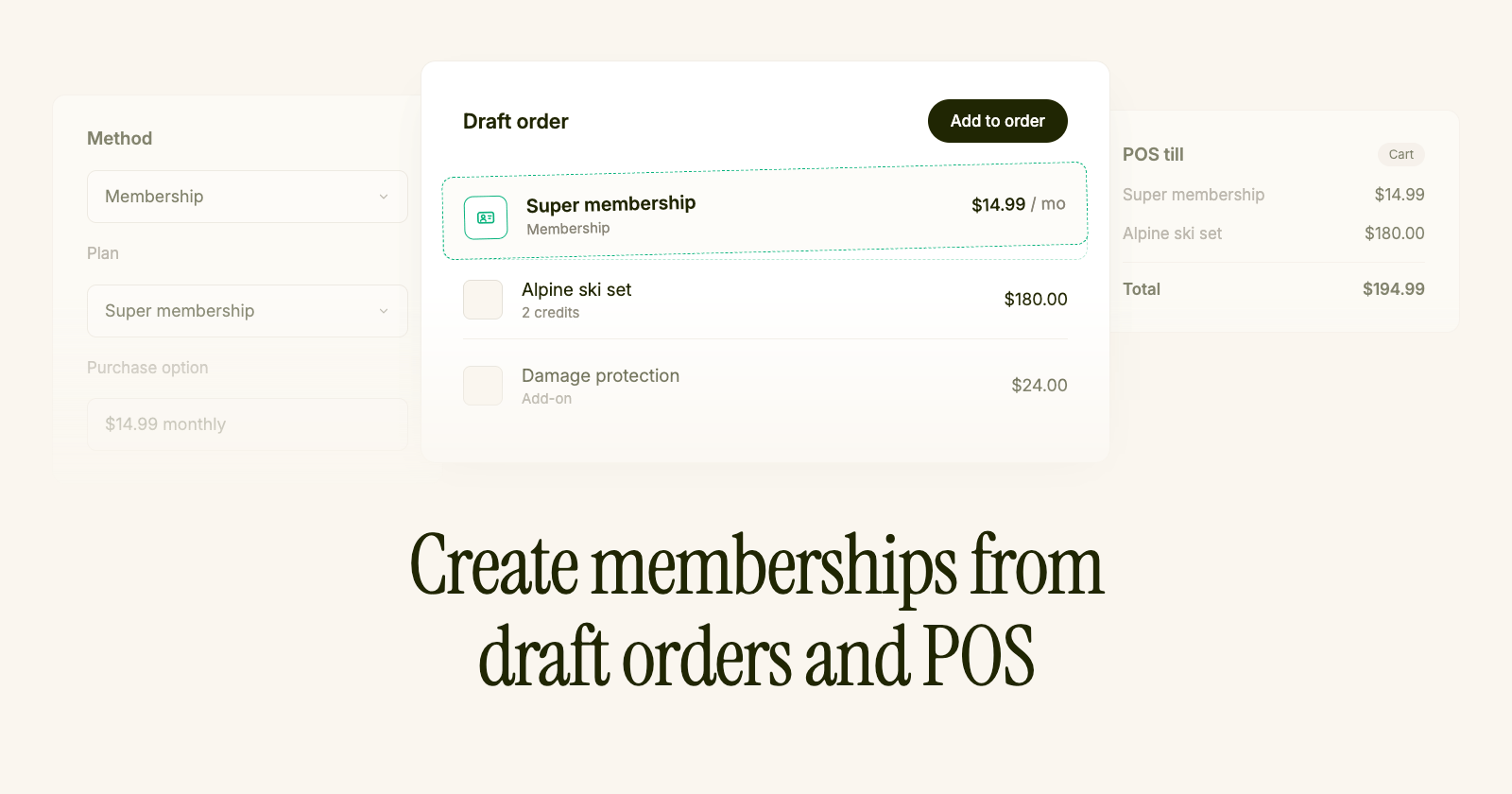
Create memberships from draft orders and POS
Features
Multiple memberships
Customers can hold more than one active membership. When a logged-in customer buys another plan, Supercycle adds a new membership alongside their existing ones, and the previous memberships stay active.Customer accounts list every active or paused membership on Dashboard. Customers open Manage membership on a card to view that membership’s credits, allowances, and renewal date, rename it, or pause or cancel it.In the Supercycle admin, the customer page shows one card per active or paused membership and a Past memberships section when a customer has ended memberships. Open a membership to view allowances, billing, and actions for that membership only. You can rename a membership from its page, and View membership on a charge now opens the right membership page.On the product page, the Methods app block shows one membership option per membership when a customer holds more than one. Customers pick which membership pays for the rental. Paused memberships and memberships without enough credits for the selected option appear but can’t be selected. Credit usage and the progress bar reflect only the selected membership.On the Membership plans app block, logged-in customers who already hold a membership see a note on each plan card. In the theme editor, set Already on this plan message and Already a member message under Button settings. The defaults explain that buying a plan adds another membership, and leaving either field blank hides it. Use[current_plan_title] in the member message to insert their newest plan name. Only one membership plan can be in the cart at a time.Features
Terms and conditions
Require customers to accept your policies before they rent. Manage terms and conditions from Risk: turn the shop toggle on, add terms records with a customer-facing title and URL, and attach them to calendar, subscription, membership, and resale method options.Open any method option and use Require accepted terms to pick one or more records, or use Apply terms on the options table to update many options at once. The table’s Terms column shows what’s linked to each option. Paste any link, for example a Shopify page, a policy path, or an external URL. Deletion is blocked while an option still requires a record, and turning the shop toggle off stops checkout from requiring terms even when options are linked.On the storefront, the Methods app block shows an Accept terms section when the selected option requires terms. Each linked record gets its own tick row, and add to cart stays disabled until every row is ticked. Switching to an option with different terms clears acceptance. Customize the section label, row label, and error message from Languages.On the cycle page, accepted terms appear on the Payment card alongside contracts: the snapshot title, the link, an Accepted badge, and the acceptance date. See Cycles overview.FeaturesImprovements
Date picker blocked dates
Block which dates customers can pick on the storefront calendar from Channels under Online store. Date picker blocked dates replace hand-written DayPicker JSON in the Methods app block for most stores.Add rules for a specific date, a date range, every date before or after a cutoff, or recurring days of the week. Each rule targets start dates, end dates, or both. Rules apply store-wide wherever the Methods calendar renders on the online store.These blocks only gate date selection. They don’t change inventory availability the way Blocked dates do. Existing theme JSON in Unavailable start dates and Unavailable end dates still works and stacks with the admin rules until those fields are removed.Improvements
Improvements
- Checkout and account requirements. Unsigned e-signature contracts now appear alongside ID verification in the Checkout requirements thank-you block and on the customer accounts Requirements page.
- Admin API cycle paths.
/cyclesis now the canonical Admin API path for listing, fetching, and updating cycles./rentalsremains as a deprecated alias with identical behavior and unchanged request and response schemas in v1. - Filter cycles by fulfillment date.
GET /cyclesaccepts afulfilledAtdate-range filter, andupdated[gte]incremental sync now includes cycles when only fulfillment or receival timestamps change.
Features
Update item Shopify Flow action
Change an item’s condition, processing status, visibility, serial number, or pick location from a Shopify Flow workflow with the new Update item action. Passrental.item.id from any cycle trigger and update only the fields you need. Blank optional fields are ignored.A common pattern is downgrading condition after the first completed cycle: trigger on Cycle updated, check rental.item.completedCycles, then set Condition ID to your target grade. See Update item condition after first cycle for the recipe.FeaturesImprovements
Maximum term on subscription rentals
Subscription pricing groups can now carry an optional maximum term, the upper bound on how long a customer may keep the items, longer than the minimum term. Leave it empty and rentals stay unbounded, as before.Set the maximum term when creating or editing a pricing group, filter and sort by it on the subscription options table, or bulk-update it across many options at once. Billing is unchanged: charges continue until the items are received, and Supercycle doesn’t cancel or set a return due date from the maximum term.On the storefront, the subscription block shows a Maximum term line in the pricing summary and appends the cap to option titles when one is set. Contract templates can referencemaximum_term and maximum_term_end, which is available after outbound fulfillment completes.Improvements
Improvements
- Legacy app-proxy pages removed. Customer self-service, from viewing rentals and starting returns to managing memberships, payment methods, and subscriptions, now runs entirely on Shopify’s new customer accounts, and the old
/apps/supercycle/pages are gone. Replace any theme or marketing links to the old dashboard or membership plans URLs with the Dashboard URL from Customer accounts, since Supercycle emails already link there.
Features
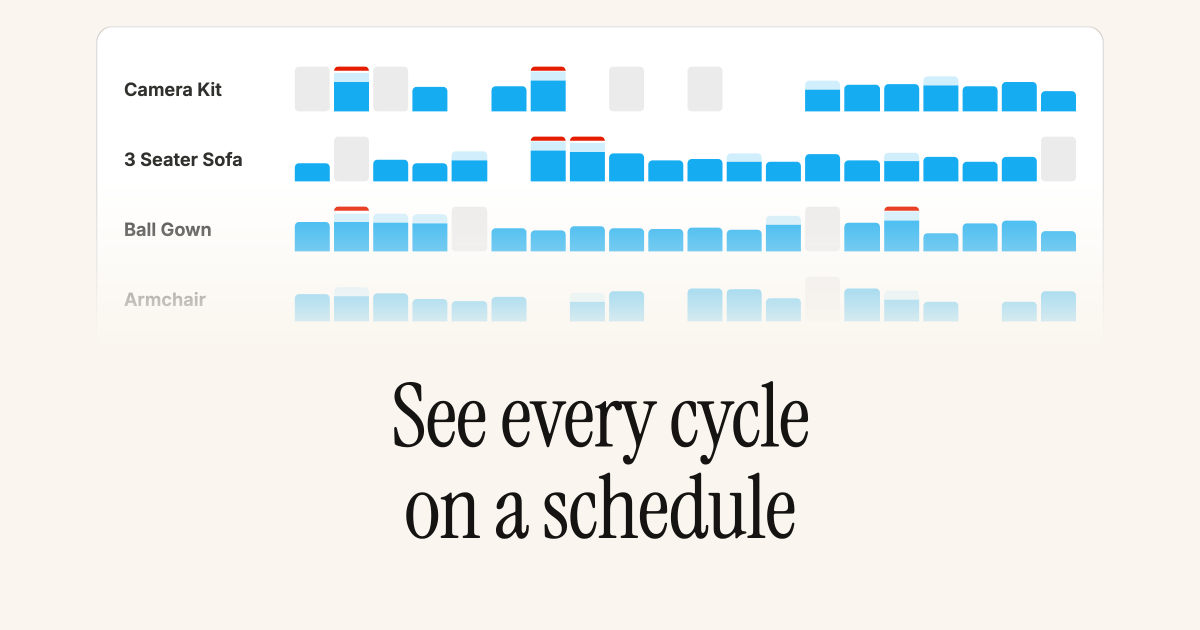
Inventory schedule
FeaturesImprovements
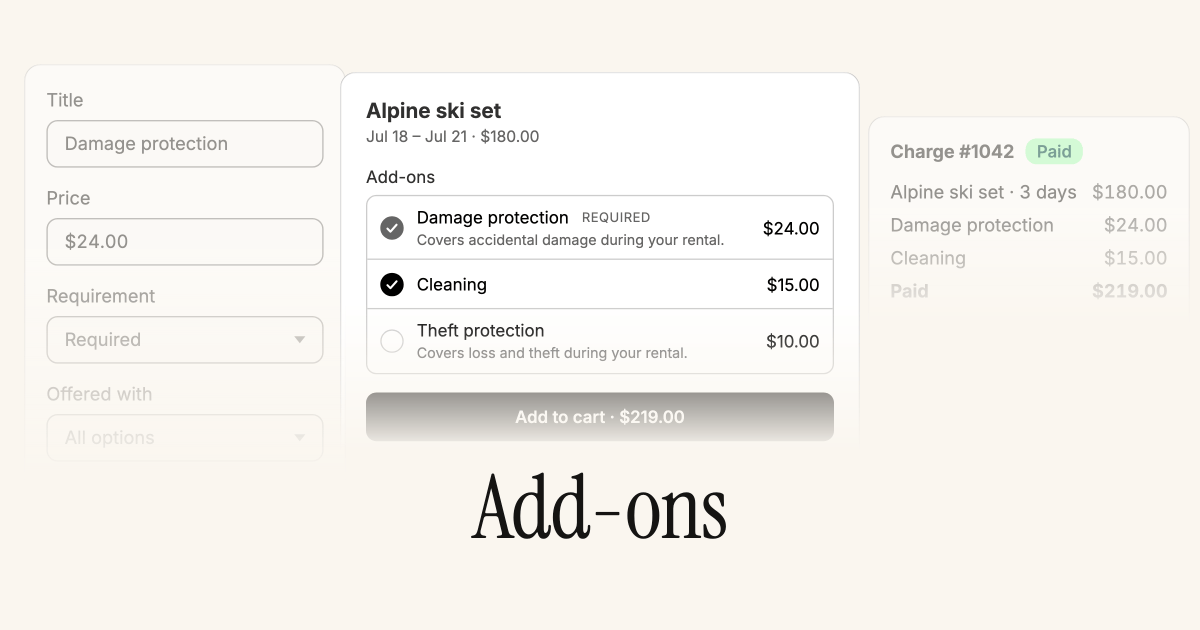
Add-ons on POS rentals
Add-ons applied to a rental option now follow through on Shopify POS. When staff apply a rental method, any required or optional add-ons returned by the intent are added to the cart with the rental line, matching the online storefront. That covers deposits, damage protection, card authorization, and any other add-on attached to the option.Improvements
Improvements
- Draft order contracts. Turn on Generate contracts for draft orders under Risk and unsigned contracts are created while a draft is still open, then reused when the order is placed. On POS, staff can list a draft’s contracts, share a QR code or signing link, and email the customer before checkout completes.
- Complete your purchase in the return reminder. When convert to purchase is turned on and a rental is eligible, the return item reminder email includes a Complete your purchase button that takes the customer to their account to finish the conversion.
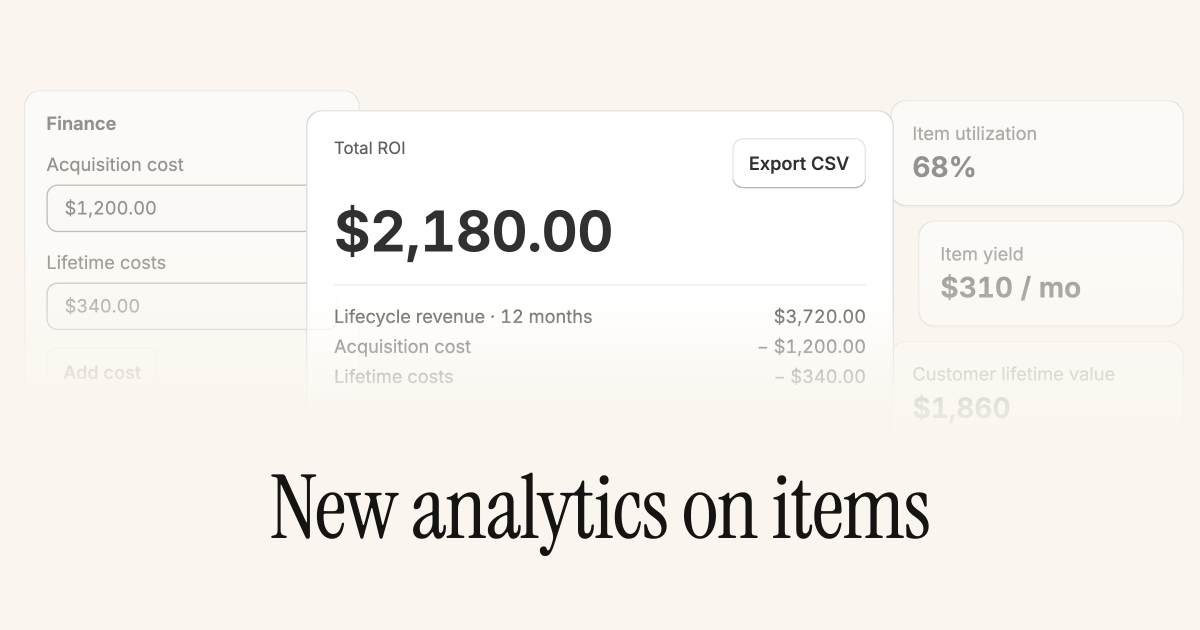
- System fields in calculated formulas. Calculated fields can reference built-in item and cycle values such as completed cycles, acquisition cost, lifecycle revenue, ROI, utilization, schedule dates, charges, and deposits, without copying them into custom fields first. The formula picker lists them alongside your custom field variables.
Features
Per-location opening hours and time selection
Customers can now choose a pickup or drop-off time when they book, and the times they see come from each location’s own opening hours. A city-center store and a warehouse can each offer their real hand-off windows.Set weekly opening hours per location from the locations table under Logistics and locations, edit them one at a time or in bulk, and mark which locations offer in-person pickup and drop-off. Turn on time selection for the pickup or drop-off method and pick a slot interval of 15 minutes, 30 minutes, or 1 hour. On the storefront, the time picker is built from the selected location’s window for the chosen day, days a location is closed can’t be selected for that hand-off, and the location picker shows each location’s weekly hours.FeaturesImprovements
Edit restock by and prepare from dates on a cycle
Override the preparation and restock buffer dates for an individual cycle when a specific rental needs more or less turnaround than your shop-wide logistics buffers give it.The Outbound fulfillment card now has an Edit prepare from date action, and the Inbound receival card has an Edit restock by date action. Both let you set the date directly or Revert to automatic date to recalculate from the shop’s preparation or restock buffer. The date you set holds until the leg’s anchor date next moves.The same overrides are available from theupdate_cycle MCP tool, the Update cycle Shopify Flow action, and the Update a cycle endpoint on the Admin API, each accepting prepare_from and restock_by (or prepareFrom and restockBy) alongside the existing fields. Pass an empty value to revert either date to the automatic calculation.Improvements
Improvements
- Reserve draft order inventory automatically. Rentals added to a Shopify draft order are now held while the draft is unpaid, so a unit can’t be double-booked before the customer pays, with no need to turn on Shopify’s Reserve items by hand. Control it from Channels under Draft orders, where you can turn the behavior off and set how long the hold lasts, 7 days by default.
- See why a cycle’s dates conflict. When a cycle’s dates clash with the selected item or variant, the overview card now spells out the cause instead of only flagging a conflict. It says whether the dates are taken by another rental, blocked by blocked dates, or both, and whether that applies to the assigned item or across the whole variant pool, for example It’s booked for another rental versus All items have blocked dates.
- Start and end dates on every Supercycle order. Orders created from the admin’s Add rentals flow, the Create order page, and CSV import now carry the same Start date and End date line item properties that online store orders have always had, so the rental period is legible wherever the order appears. A related fix keeps POS rental dates from drifting a day across time zones.
Features
Expanded analytics dashboards
Supercycle’s built-in Analytics has grown from a single beta view into a full set of dashboards reporting on metrics you can’t get from native Shopify, calculated directly from your cycles, items, and charges.Dashboards are grouped by what you’re measuring:- Overview, Calendar, Subscriptions, Memberships, and Resale. Cycle throughput and, for recurring methods, billing health such as failed charges and churn.
- Revenue and Charges. Circular revenue, growth, collection rates, and outstanding balances.
- Items, Products, and Customers. The circular economics: fleet utilization, yield, lifecycle revenue and ROI, age of stock, and customer lifetime value.
Features
Calculated custom fields
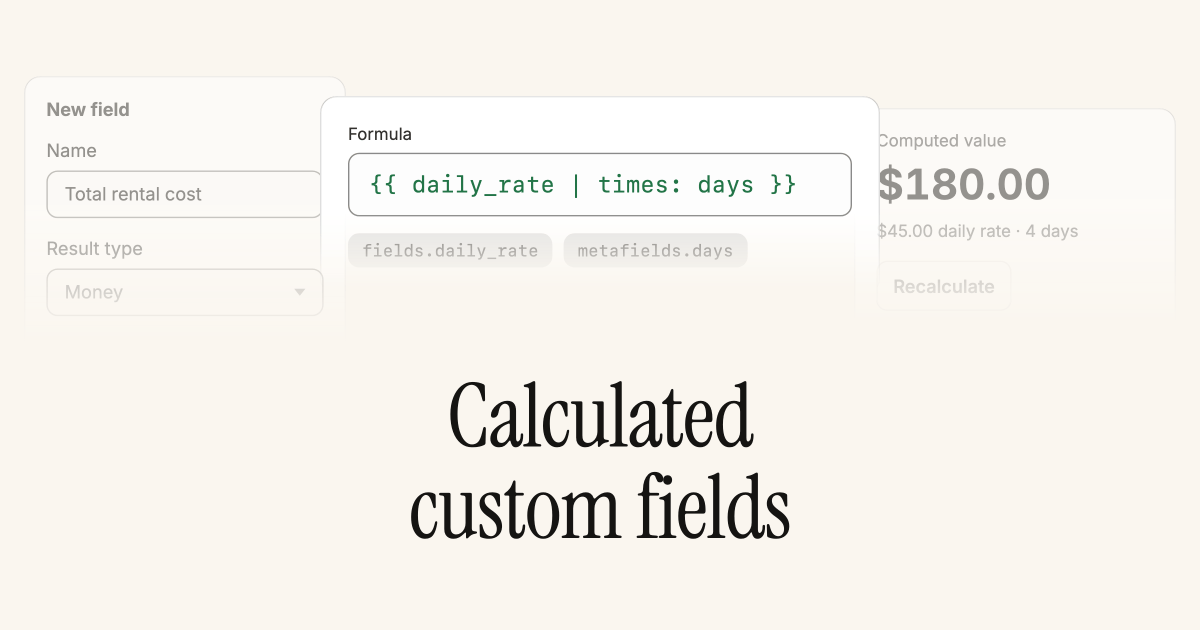
fields.<key>), on cycles the rented item’s fields too (item.fields.<key>), and the linked Shopify variant’s price and unit_cost plus variant and product metafields (variant.metafields.<key>, variant.product.metafields.<key>).That combination unlocks metrics that used to live in spreadsheets:- Utilization. Miles or hours completed during a cycle, and a running total on the item across every cycle.
- Unit economics. Revenue per cycle, margin, and time to break even, derived from acquisition cost and average revenue per cycle.
- Operational flags. Booleans that light up when an item hits a service interval, has broken even, or exceeds a replacement-cost threshold.
plus, times, divided_by, default, and date, control flow with {% if %} and {% case %}, and intermediate values with {% assign %}. Values recalculate on demand from a Recalculate button on each field, so you know when a number reflects the latest inputs.Features
Custom fields on POS rentals
Fill in rental custom fields as part of the create rentals flow on POS, so in-store bookings capture the same data as rentals created from the admin.Single line and multi line text field definitions render on the POS rental method screen, multi line as a text area. Values flow through to the cycle at ingestion and land on the record like a field set from the admin. Other field types, such as date, boolean, and reference fields, are hidden on POS.Features
Add-ons
Features
Reserve rental inventory on draft orders
Turn on Shopify’s Reserve items on a draft order containing a rental, and Supercycle holds the picked unit for the rental window so nothing else can book it while the draft is unpaid. See Reserve inventory on a draft order.The block releases when the reserve is turned off, the draft is paid or canceled, the rental line is removed, or the reserve expires. Changing the rental dates on the draft refreshes the held window.Features
Finance comes to items
Features
Consignment
FeaturesImprovements
Revamped Scanner app
Improvements
Improvements
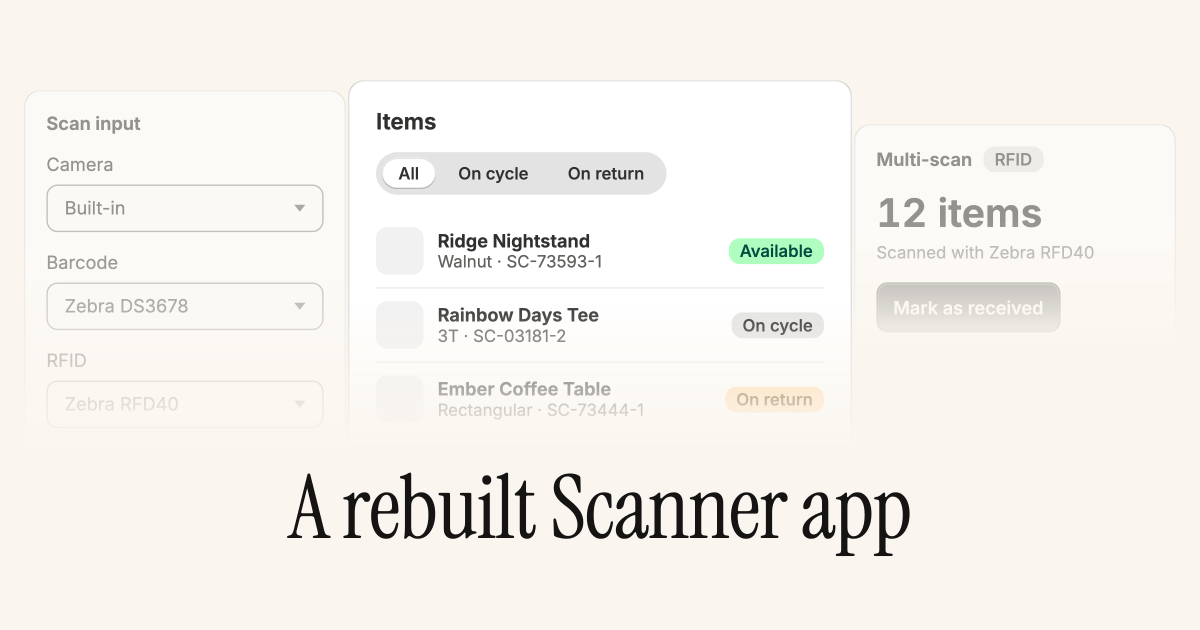
- Instant resolution. Newly created items resolve straight away in a multi-scan session, with no re-scan needed.
- Open from the list. Tap a matched row to open its detail page from the multi-scan list.
- Multi-tag reads. RFID reads that pick up several tags at once are split into one item per tag.
FeaturesImprovements
Hourly pickup and drop-off slots
Set preparation and restock buffers in hours, not only whole days, and the storefront calendar grays out pickup and drop-off times when nothing is free at that instant.Sub-day buffers unlock tighter scheduling for in-store handover: a 6-hour prep window or a 2-hour restock no longer has to round up to a full day. When a customer picks a start or end date, unavailable time slots are disabled and the selection advances to the first free slot.Improvements
Improvements
- Total first payment. The Methods app block now shows Total first payment, the deposit plus the recurring amount, when a subscription rental has a deposit, not only the recurring amount.
- Faster availability filtering. Calendar availability filtering is faster on stores with large variant catalogs.
Features
Ask Sidekick about your cycles
Features
Custom fields, upgraded
Define more field types on items and cycles, including integer, color, URL, JSON, and item references, and edit values in a Shopify-style read-only box that opens an edit popover. See Custom data.Reference fields link straight to the related record. The type picker is grouped into sections (Text, Reference, Number, Date and time, Other, and Advanced) so it’s easier to find the right type when you set up a new definition.FeaturesImprovements
Extend a cycle
Lengthen an active calendar cycle without canceling and rebooking, from the admin or by the customer from their own account.Extending a cycle from the admin and from customer accounts
Improvements
Improvements
- Blocked dates with times. Set a block to a specific time rather than a whole day, give it a description, and import or export blocks in bulk by CSV.
- Bulk product change. Update the product or variant for many selected items at once.
- Mark as received. A new action on receivals, split out from Create return, for quicker handling.
- New customer on orders. Add a brand-new customer while creating an order, instead of only picking an existing one.
- Options CSV columns. The method options CSV import and export now include ID verification and Contract columns.
- Create a payment attempt. A new Shopify Flow action.
Features
Pickup and drop-off return methods
Customers can now choose how they return an item, by shipping it back or dropping it off, and you can run pickup and drop-off only by switching shipping off.Return logistics now mirror delivery: the storefront shows a return method picker when more than one is turned on, and availability and scheduling follow the customer’s choice, so each return is scheduled on the right timeline. Stores that only do in-person handover can turn shipping off entirely, as long as one delivery and one return method stay on.FeaturesImprovements
Request ID verification from the admin
Improvements
Improvements
- Managed deposits. Add your deposit prices under Risk and Supercycle creates and manages the deposit product and its variants for you.
- Deposit validation at checkout. Deposit cart validation is now enforced at checkout completion, not only in the cart.
- SMTP retries. Custom SMTP now retries transient send failures, so a brief blip on your mail server doesn’t drop a customer email.
- Checkout context metafield. A new
checkout_contextmetafield passes Supercycle’s view of the cart to checkout UI extensions.
Features
Send emails from your own domain
Configure custom SMTP and customer emails go out from your domain instead of ours. Emails from your own domain reinforce your brand and give you control over your sender reputation. Turn it on under Emails.FeaturesImprovements
Block dates for items, variants, or products
Block availability for a specific item, for every item on a variant, or for every item across a whole product. Set a from and to date, or leave them blank for an indefinite block.It suits store closures, scheduled servicing, or a venue going offline for a weekend. Stock you can’t fulfill stops being bookable, so you avoid orders you’d have to cancel.Improvements
Improvements
- Flow triggers for verification and signatures. New Shopify Flow triggers for ID verification and e-signatures fire when the status of an ID verification or e-signature changes.
Features
Cart timer
Remove Supercycle items from customers’ carts after a set time. Rental stock is finite, and an abandoned cart can hold a unit hostage. Expiring the cart returns held inventory to the pool and reduces the chance of overbooking.FeaturesImprovements
E-signatures on contracts
Customers can sign contracts at online checkout and on POS. Every cycle now carries the same signed-contract audit trail, whether it started online or in store, so you have a clear record to fall back on if an item comes back damaged or late.Improvements
Improvements
- Shopify Flow triggers and actions. New triggers for cycles, memberships, returns, and failed charges, plus actions to create charges, update cycles, add tags, re-allocate items, and update memberships. See Automation.
- Billing anchor date. Update a subscription’s billing anchor date as part of a Shopify Flow workflow.
FeaturesAnnouncement
MCP servers for builders and operators
Connect your AI tools directly to Supercycle to query your data, automate workflows, and build custom tools without leaving your AI assistant. Your team can answer “what’s overdue?” or kick off an operational task from Claude or ChatGPT, instead of working through the admin or waiting on an integration. See AI at Supercycle.FeaturesImprovementsAnnouncement
Rentals are now Cycles
“Rental” has become “Cycle” throughout Supercycle. A single product can move through rental, resale, trade-in, and subscription, and “rental” was too small a word for that. The updated terminology appears across the admin and the Flow triggers. The existing API is unchanged.Improvements
Improvements
- RFID scanning on Zebra devices. Warehouse and fulfillment teams can scan RFID-tagged items directly through the Supercycle Scanner app.
- Subscription billing from Flow. Update a subscription’s billing day and recurring price with a Shopify Flow action.
- Destination column. A Destination column on the rentals table makes fulfillment easier to manage at a glance.
- ID verification on the rentals table. See and filter ID verification status directly on the rentals table.
- Zero checkout price. The checkout price on every method can now be set to zero.
Features
Shopify markets and pricing by item condition
Set pricing on method options by specific markets, variants, and item conditions, so a well-loved unit can list below an as-new one, and prices can follow each market.Features
Bulk re-allocation of overlapping rentals
See overlapping rentals, with filters for whether an alternative item is free, and resolve them in bulk with Re-allocate item from the reservations table actions.FeaturesImprovements
Import vaulted cards from Stripe
On request, we can turn on an Import from Stripe feature that brings previously vaulted cards from Stripe into Shopify.Moving from Stripe usually means asking every customer to re-enter their card. Importing vaulted cards keeps existing subscriptions billing without interruption, so migrating doesn’t cost you active contracts.Improvements
Improvements
- Column layout. Show, hide, and re-order columns on the Reservations, Customers, Products, Returns, Inventory, and Charges tables.
- New custom data fields. Money, customer, rental, return, multi-line text, true or false, date, and date and time types on items and rentals, under Custom data.
- Options export. Export calendar, membership, and resale options to CSV.
FeaturesImprovements
Deposits on calendar methods
Add a deposit to calendar methods, then track which customers you hold deposits for and manage their return. A refundable deposit covers you against damage or non-return on higher-value items, so you can rent out kit you’d otherwise hold back without taking on the full risk.Improvements
Improvements
- ID verification filter. Filter customers by ID verification status.
- Methods app block tooltips. Show tooltips and help text on Methods app block labels to give customers more information. Set them up under Languages.
- Failed charge emails. Failed charge emails now include a summary of the charge and a link to pay the outstanding balance.
FeaturesImprovements
New rental Shopify Flow triggers
Trigger a Shopify Flow on Rental created, Rental updated, and Rental canceled. Automate the busywork around a rental’s lifecycle, such as tagging an order, notifying a 3PL, or starting a fulfillment task, without anyone watching the admin.Improvements
Improvements
- Add rentals to a draft order. Add new rentals to a draft order in a Shopify order with Add rentals in the More actions menu. Turn it on under Beta features. This also changes the Create order workflow from Reservations.
FeaturesImprovements
Subscriptions on Shopify POS
Start subscriptions from Shopify POS using the POS extensions for Supercycle. Sign a customer up to a membership or subscription at the counter, so in-store sales convert into recurring revenue instead of one-off transactions.Improvements
Improvements
- Admin blocks. New admin blocks on customers and products in Shopify make it easy to see the relationship between Shopify and Supercycle across the admin.
- Get rental data action. A new Shopify Flow action retrieves rental information for conditional logic in workflows.
- Timeline events. More detailed timeline events on rentals make it easy to see what happened, when, and by whom.
- Customer page. The customer page now better shows active and upcoming rentals as well as returns in progress.
Features
Scanner app on iOS and Android
Download the Supercycle Scanner app to scan items, update records, and manage rental operations from your phone. Your warehouse team works on the floor, not at a desk. The Scanner puts item lookups and status updates in their hand instead of sending them back to a terminal.Features
Update pricing in bulk
Update pricing on method options in bulk with the new method options table, and roll out a seasonal price change across hundreds of products in a single pass. Turn it on under Beta features.FeaturesImprovements
Membership plan permalink
Copy a cart permalink from any membership plan in settings. Drop the link in an email or campaign and the customer lands at checkout with the plan already in their cart, with no navigating and fewer drop-offs on the way to signing up.Improvements
Improvements
- Subscription start date. Require the customer to enter a start date for the subscription method.
- Subscription status filter. Filter rentals by subscription status, for example Billing active or Billing paused.
- Pause billing on return. Pause subscription billing automatically when a customer requests a return from customer accounts, or when a return is created from the admin.
FeaturesImprovements
Add rentals to an existing Shopify order
Add new rentals to an existing Shopify order with Add rentals in the More actions menu. Handle add-ons and over-the-counter extensions on the order the customer already has, instead of creating a separate one to reconcile later.Improvements
Improvements
- Product status filter. Filter and view products by Shopify product status, to see what’s active, draft, and archived.
- Danish. Added Danish language support.
- Reservation previews and filters. Expand every column within a rental line to view and filter details without opening the rental record.
FeaturesLegal
Pickup delivery method
A pickup delivery method, in beta, lets you set different buffer periods for rentals that ship versus those collected in store. Turn it on under Beta features.Shipping needs days of turnaround buffer, while a counter pickup needs almost none. Separate buffers mean store pickup stock isn’t blocked by shipping lead times it never uses.Legal
Legal
- Subprocessors. PlanetScale and Railway added as subprocessors.
Features
Import items
Import items directly from the inventory page. Stand up a back catalog in one upload instead of adding units by hand.FeaturesImprovements
Cancellation window and minimum term on memberships
Set a cancellation window, for example 14 days, and a minimum term, for example 3 months, on a membership plan. Commitment terms protect the economics of a plan: customers can’t sign up and cancel the next day, so the recurring revenue you price around holds.Improvements
Improvements
- Sort by title. Sort products by product title to find and manage products faster.
- No methods filter. Filter products by No methods to find products that still need setting up.
FeaturesImprovements
Card vaulting
Capture a customer’s card and charge it at any time. A card on file lets you recover the cost of a late return, damage, or a missed payment without chasing the customer, lowering the risk of renting out high-value items.Improvements
Improvements
- Product inventory table. The inventory table on products shows status at a glance: Uncommitted, On hand, and On order.
FeaturesImprovements
Pay outstanding balance via customer accounts
Customers can view and pay their overdue balance directly from their account. Self-serve payment means overdue charges get cleared without your team sending reminders or taking payment by hand.Improvements
Improvements
- Default language. Set a default language for your store and customer accounts, and offer several languages.
Features
Tasks on the dashboard
The dashboard now shows what needs doing at a glance: orders to fulfill, return requests, and outstanding charges, so the day’s work is the first thing you see.Features
Charge to saved card
Charge a customer’s saved Shopify payment method to capture payments from their card automatically, instead of waiting on a manual checkout.FeaturesImprovements
Export products
Export products to CSV for reporting, bulk edits, or sharing with another system.Improvements
Improvements
- Filter by method. Filter by active methods on the products table in the admin.
Features
Pick location on items
Set and update an item’s pick location in the admin or through the API. Knowing exactly where a unit lives turns picking from a hunt into a lookup, which matters the moment your warehouse outgrows a single shelf.Features
Features
SKU on the inventory table
See and search the SKU directly on the inventory table. Find a specific unit by the code you already use everywhere else.FeaturesImprovements
Export customers
Export customers to CSV for reporting or to sync into another tool.Improvements
Improvements
- Active rentals filter. See and filter customers by their number of active rentals.
Features
Export items
Export items to CSV, a full inventory snapshot for reporting or reconciliation.Features
Export rentals
Export rentals to CSV, so the data behind your reservations is yours to slice in a spreadsheet or warehouse.FeaturesImprovements
Analytics
Open the beta analytics from the Supercycle navigation to see key circular metrics about your store. Knowing utilization, repeat rate, and what’s earning helps you decide what to buy more of and what to retire, turning circular data into stocking decisions.Improvements
Improvements
- Overlap visibility. Overlaps with items that have already been returned are no longer shown, so the list reflects real conflicts.
- Row counts. See the total number of rows on tables, useful when filtering to find a total.
- Support chat. Request support or suggest a feature without leaving Supercycle, from the chat icon in the bottom right of the admin.
- Subscription storefront options. Pricing tiles or a minimum-term dropdown, plus the option for customers to choose a preferred start date.
FeaturesImprovementsLegal
Start and end conditions for subscriptions
Choose a start condition for when a subscription begins billing and an end condition for when it stops. Billing that lines up with when the customer has the item, not the day they checked out, keeps charges fair and cuts the disputes that follow surprise bills.Improvements
Improvements
- Failed payment reasons. Detailed failed payment reasons now show on a charge.
- Change payment method. Change the payment method for an active subscription or membership from the rental, when a customer has several cards on file with Shopify.
- Edit recurring price. Edit the recurring price of active memberships and subscriptions from a customer’s Supercycle customer page.
Legal
Legal
- Subprocessors. Hookdeck added as a subprocessor.
FeaturesImprovementsLegal
Charges replace Invoices
Charges work like invoice lines but with more flexibility: combine several into a single payment through a draft order. Billing a customer for a late fee plus an extension as one payment, instead of several separate invoices, makes the charge clearer for them and easier for you to reconcile.Improvements
Improvements
- Change product or variant. Change the product or variant an item is associated with, useful when variants stand for conditions such as Like New and Well Loved and the item’s condition changes over time.
- Unlimited quantity. Cart validation now checks availability against quantity, so a customer can select any quantity and availability is validated at checkout.
- Not tagged with filter. Filter the reservations and invoices tables by Not tagged with.
- Inline subscription UI. A clearer inline subscription UI shows the current status of subscriptions within a rental.
- Create rental order. Create rental order from Reservations now brings the Shopify variant into the draft order, so the correct variant SKU reaches your 3PL or operations team, and draft orders support cart validation against overlapping rentals.
Legal
Legal
- Subprocessors. Intercom and AppSignal removed as subprocessors, and Attio, Fillout, and Relay added. See subprocessors.
Features
Add a location to an item
Assign an inventory location to each item, supporting stock across several warehouses and physical stores, so availability reflects where things are.Features
Save custom data against items and rentals
Create custom fields on items and rentals for information specific to your business, such as purchase price, consignee, or a manufacturer serial number, and keep it where the rest of the record lives.FeaturesImprovementsLegal
Save custom views
Filter Reservations, Returns, Products, Inventory, or Customers, then save the filtered view. The reports you check every day, such as overdue this week or out for service, become one selection instead of rebuilding the same filters each time.Improvements
Improvements
- Filter by order number. Filter reservations by a specific Shopify order number: select Add filter, then Order ID, on the reservations table.
- Unique serials. Serial numbers on items must now be unique. Previously an item’s serial could match another item’s.
Legal
Legal
- Subprocessors. Sentry added as a subprocessor.
FeaturesImprovements
Filter tables by tags
Filter Reservations, Inventory, and Invoices by their tags, turning the tags you already apply into a way to find and act on groups of records.Improvements
Improvements
- Method metafields. New boolean metafields on Shopify products for imported into Supercycle and for each method, so you can manage from the Shopify products page and build automatic collections per method. They apply to newly imported and edited products, with existing products backfilled.
- Item page. The item page is reworked to prioritize rentals, with the serial number moved to the right-hand side as a Code-128 barcode when a serial is present.
FeaturesImprovementsLegal
Pause and unpause memberships
Pause and re-activate a membership from the customer’s membership page, alongside canceling. A pause keeps a customer on the books through a break instead of losing them to a cancellation. Billing resumes on schedule when they come back.Improvements
Improvements
- Payment failure descriptions. Subscription payment failure descriptions carry more detail, helping you follow up with customers.
- Customer search. Search the customers table by email and full name.
- Packing slip. The packing slip layout is reworked to emphasize order tags and shipping method.
Legal
Legal
- Subprocessors. Plain added as a subprocessor.