> ## Documentation Index
> Fetch the complete documentation index at: https://docs.supercycle.com/llms.txt
> Use this file to discover all available pages before exploring further.
# Start/end settings
> Manage how subscription billing starts, stops, and appears on your storefront.
Subscription billing settings are accessed from [Subscription settings](https://admin.shopify.com/apps/supercycle/settings/methods/subscription)
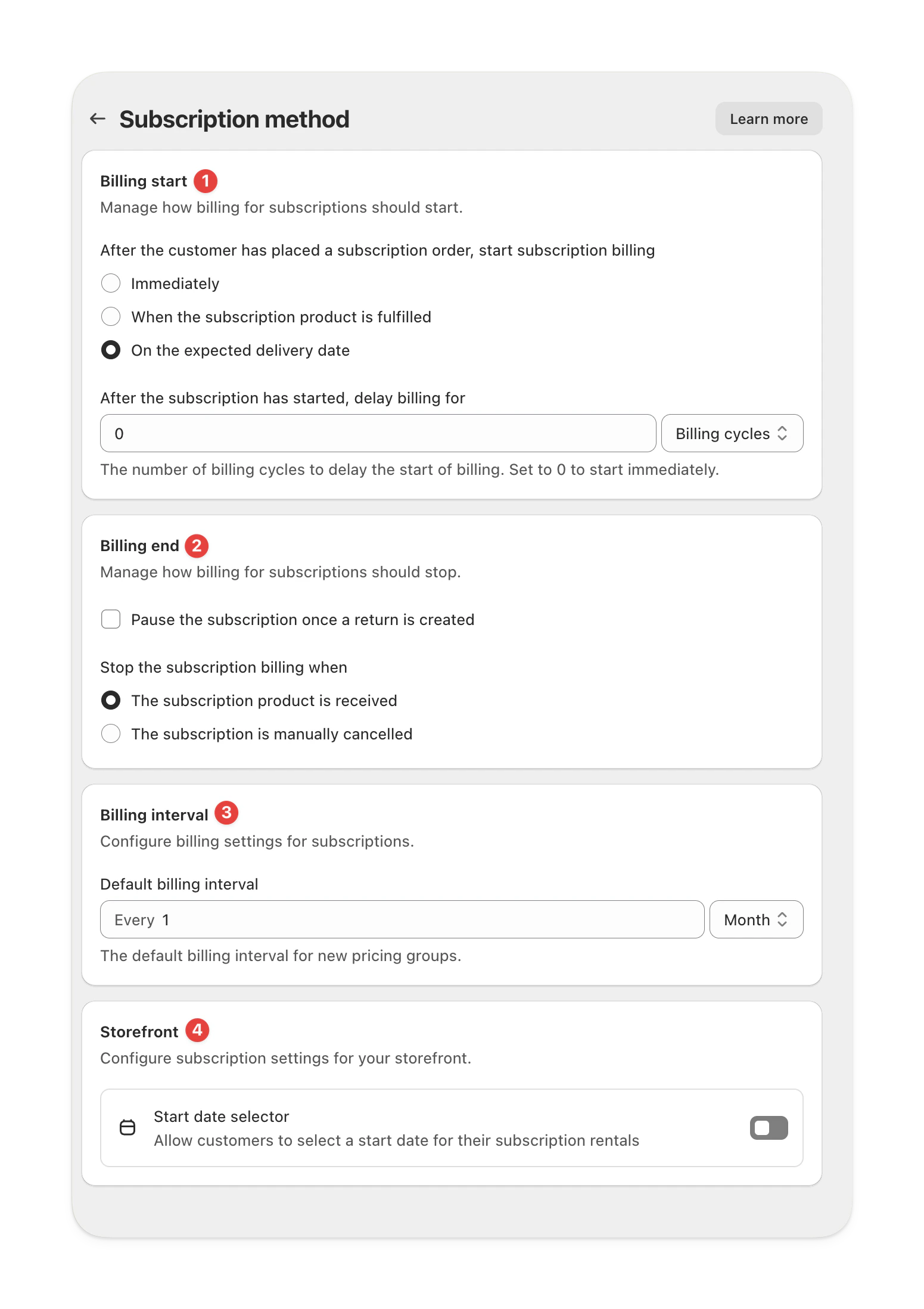 ***
## Billing start
Control when subscription billing begins after a customer places their order.
| Option | Description |
| ---------------------------------------------- | ---------------------------------------------------------- |
| **Immediately** | Billing starts as soon as the order is placed. |
| **When the subscription product is fulfilled** | Billing starts once the product is fulfilled in Shopify. |
| **On the expected delivery date** | Billing starts on the date the item is expected to arrive. |
You can also delay the start of billing by a set number of billing cycles.\
Set it to **0** to start billing right away.
***
## Billing end
Choose when and how to stop billing for a subscription.
| Option | Description |
| -------------------------------------------------- | ---------------------------------------------------------------- |
| **Pause once a return is created** | Automatically pauses billing when a return is initiated. |
| **Stop when the subscription product is received** | Ends billing once the returned product is received and scanned. |
| **Stop when manually cancelled** | Keeps billing active until you cancel the subscription manually. |
***
## Billing interval
Define how often customers are billed while their subscription is active.
The default interval applies to all new pricing options, however can be customized per option.
| Example | Description |
| ------------------ | ------------------------------- |
| **Every 1 month** | Customers are billed monthly. |
| **Every 3 months** | Customers are billed quarterly. |
***
## Storefront settings
Control what customers can do on your storefront.
### Start date selector
Turn this on to let customers choose their subscription start date during checkout.\
This is useful for preorders or rentals starting at a future date.
***
## Billing start
Control when subscription billing begins after a customer places their order.
| Option | Description |
| ---------------------------------------------- | ---------------------------------------------------------- |
| **Immediately** | Billing starts as soon as the order is placed. |
| **When the subscription product is fulfilled** | Billing starts once the product is fulfilled in Shopify. |
| **On the expected delivery date** | Billing starts on the date the item is expected to arrive. |
You can also delay the start of billing by a set number of billing cycles.\
Set it to **0** to start billing right away.
***
## Billing end
Choose when and how to stop billing for a subscription.
| Option | Description |
| -------------------------------------------------- | ---------------------------------------------------------------- |
| **Pause once a return is created** | Automatically pauses billing when a return is initiated. |
| **Stop when the subscription product is received** | Ends billing once the returned product is received and scanned. |
| **Stop when manually cancelled** | Keeps billing active until you cancel the subscription manually. |
***
## Billing interval
Define how often customers are billed while their subscription is active.
The default interval applies to all new pricing options, however can be customized per option.
| Example | Description |
| ------------------ | ------------------------------- |
| **Every 1 month** | Customers are billed monthly. |
| **Every 3 months** | Customers are billed quarterly. |
***
## Storefront settings
Control what customers can do on your storefront.
### Start date selector
Turn this on to let customers choose their subscription start date during checkout.\
This is useful for preorders or rentals starting at a future date.